Tab5
A large 5-inch Home Base for shared story state and adult controls. It uses an ESP32-P4 plus ESP32-C6 wireless module, so give it its own bring-up path.
Guide 02 · Open the boxes slowly
Ten hardware groups. Each has one clear role. The first build uses only one Field Kit, one reader, and five cards.
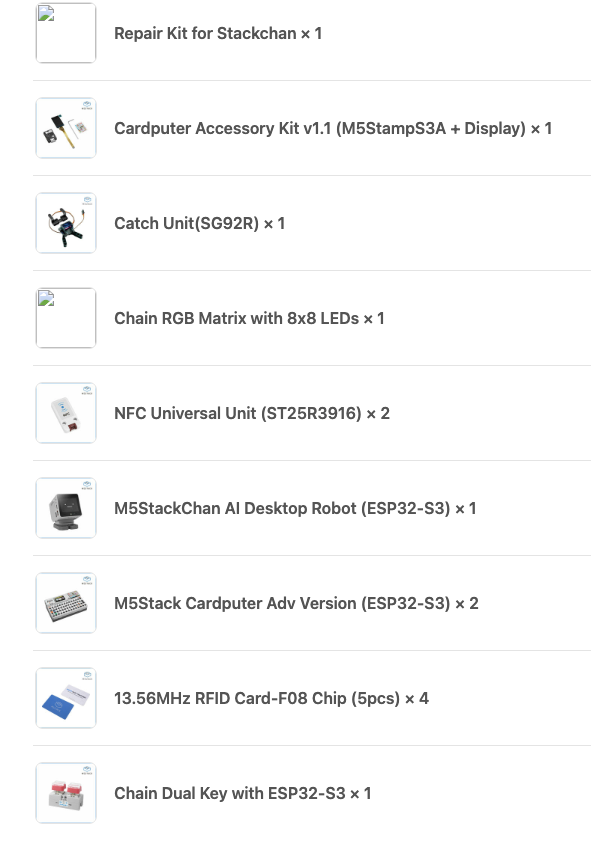
| Hardware | Qty | Sidequest job | First use |
|---|---|---|---|
| Tab5 | 1 | Home Base | After the hunt works |
| Cardputer ADV | 2 | Field Kits | Use one first |
| StackChan robot | 1 | Character | After core loop |
| NFC Universal Unit | 2 | Checkpoint readers | Use one first |
| 13.56 MHz cards | 20 | Artifacts | Label five first |
| Chain DualKey | 1 | GO / HINT | First upgrade |
| Chain RGB 8×8 | 1 | Progress light | First upgrade |
| Catch SG92R | 1 | Victory prop | Late upgrade |
| Cardputer Accessory Kit v1.1 | 1 | Repair stock | Keep sealed |
| StackChan Repair Kit | 1 | Repair stock | Keep sorted |
One Cardputer ADV. One external NFC reader. Five cards. One known-good USB-C data cable. One HY2.0-4P cable.
A small, calm bench with no mystery parts.
Sort by the inventory table before adding power.
A large 5-inch Home Base for shared story state and adult controls. It uses an ESP32-P4 plus ESP32-C6 wireless module, so give it its own bring-up path.
Tiny field computers with keyboard, screen, sound, mic, motion, microSD, battery, and ports. Great for clues and codes. Do not require typing for younger players.
A theatrical character with screen, camera, mics, speaker, sensors, LEDs, touch, onboard NFC, and two servos. It reacts; it never owns progress.
External readers at I²C address 0x50. Pair one with
each Cardputer. Use card UIDs as game IDs, never as keys.
Two chunky buttons drive a 64-pixel matrix through UART. This is a launch pad, not a Grove/I²C pair.
An SG92R gripper for a paper flag or light gate. It is not a lock and must never close on fingers.
FIELD KIT   →   HY2.0-4P   →   CHECKPOINT
[Cardputer
              ADV]   GND / 5V / GPIO2 / GPIO1   [Unit NFC · I²C
              0x50]
LAUNCH PAD   →   CHAIN BRIDGE   →   PORTAL
              LIGHT
[DualKey]   arrow points outward · UART 115200 8N1
                [RGB 8×8 · brightness ≈ 50%]
The matrix responds and stays comfortably cool.
Power down. Check bridge direction before changing code.
Stamp-S3A, ST7789V2 display, hex key, and pin sticker.
Cables, screws, and hex keys. No spare servos, controller, or body electronics.
"Repair kit" does not mean "second robot." Keep both kits labeled.
Exact board versions and official links live in the source guide. Re-check them when firmware work begins.